thickest strings). Once again I would like you to use correct fingering when you are playing this. Remember your index finger is number 1, you middle finger is number 2, your ring finger is number 3 and your pinky is number 4. Play in down strokes and take your time. Try and make each note ring clear. Remember it is better to play slowly and accurately than to sound muddy and unclear. Video and Audio Available: Dial Up Broadband QuickTime - Exercise 1 (930 KB) QuickTime - Exercise 1 (2.53 MB) WindowsMediaPlayer - Exercise 1 (1.96 WindowsMediaPlayer - Exercise 1 (3.48 MB) MB) Audio Audio mp3 - Exercise 1 (489 KB) Now that you have finished that warm up pattern it's time to move onto the main part of the lesson which is some work on strumming. Before you start on this I am going to explain some simple music theory to you. Don't get
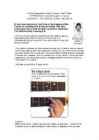
Most guitar music is broken down into beats of four. This is not something you need to worry about at this stage, but it is something you should be aware of. Try the exercise below and remember to take a look at the video if you have any problems: G major chord Tip: You can download a video or audio example of the above exercise to see and hear it for yourself. The download links are below (right click on the link and select "save as"): Dial Up Broadband QuickTime - Exercise 1 (850 KB) QuickTime - Exercise 1 (2.30 MB) WindowsMediaPlayer - Exercise 1 (1.48 WindowsMediaPlayer - Exercise 1 (2.80 MB) MB) Audio Audio mp3 - Exercise 1 (495 KB) As you can see the difference between practicing this chord and the previous chords you have learned is that you are doubling up on the strum. The way I would like you to do this is by strumming up when you bring your hand back up. Take your time with this
displayed. This means that you shouldn't press down anything. So if you were to play the above piece of TAB on your guitar, you would pick the thinnest string once with your plucking hand and do nothing with your fret hand. Tip: If you are having trouble with this concept, you can download a video or audio example of the above exercise to see and hear it for yourself. The download links are below (right click on the link and select "save as"): Dial Up Broadband QuickTime - Exercise 1 (503 KB) QuickTime - Exercise 1 (1.39 MB) WindowsMediaPlayer - Exercise 1 (714 WindowsMediaPlayer - Exercise 1 (1.7 KB) MB) Audio Audio mp3 - Exercise 1 (308 KB) Now let's see if we can start pushing down some strings. Look at the next example below and try and play the note that the TAB chart displays. If you pressed down the thickest string at the 3rd fret then you played the exercise correctly
The aim of this report is to describe social and economic situation in Estonia. Estonia is well known because for it's highly developed IT-sector. IT-sector is the fastest growing area. In the words of stat.ee about two-thirds of households have a broadband Internet connection. Due to more people go online to vote and do their business with the banks. As time goes by, more and more discoveries are made in the IT field. However, the income of estonians is one of the lowest in the European Union, therefore there is a big gap between different social layers. Estonians average monthly wage is 792 EUR, which means that the average monthly wage is bigger only than in Latvia. Other European Union countries have higher average monthly wages.
The President is a ceremonial figureheas with no executive power. The Head of State of Estonia must be independent both professionally and also politically from political parties. The current Estonian President is Toomas Hendrik Ilves. Technological factors Estonia has a highly developed telecommunications and IT infrastructure. A fibre optic backbone network connects all Estonian country centres. In 2015, all Estonian households, enterprises and institutions have access to broadband with a data connection speed of up to 100 Mbit/s. Estonia has one of the faster internet speed. The Estonian Broadband Development Foundation’s objective is to build a network offibre optic cables across Estonia to make that possible. Estonia is completely covered by digital networks providing wireless internet. A network of Public Access Points covers most cities and towns. ERLE MAIDO
The first era arrived in middle of the last century and in 1980s cable televison ushered in the second era by using copper wires bundled into coaxial cables to transmit hundreds more channels into the home. Network TV was financed exclusively by commercials aand cable networks collected a fee per customer per month. In the 1990s engineers worked out way to deliver digital data on top of cable television signals. This meant that cable customers could get broadband internet without additional infrastructure. So the cable companies became corporate giants who distributed television and also the internet. Getting the video into your computer is one thing, but getting it to your 40-inch high-definition TV and in a way that is easy to set up and intuitive to use is another. The easiest and straight forward way to use it is to simply connect a computer to your TV set. Connecting one's laptop to the
Equipment- Konverentsi teenused/tehnika · Conference venue konverentsi toimumiskoht · Seating capasity mahutavus · Estimated attendace eeldatav osalejate arv · Presentation equipment eistluse tehnika · A/V equipment audio / video, videomakk+helisüsteem · OHP graffaprojektor · Data / multimedia projector data projektor · LCD projector uue põlvkonna projektor · TV ; VCR / VHS televiisor, videomakk · Screen ekraan · Broadband internet access ülikiire internet · Speakers kõlarid · Headphone kõrvaklapid · Tabletop microphone lauamikrofon · Wireless microphone juhtmevaba mikrofon · Lapel microphone riiete külge kinnitatav väike mikrofon · Standing podium ( lectern ) kõnepult · Laser control laserkiir · Remote control pult · Additional equipment lisavarustus · Whiteboard and whiteboard markers valgetahvel ja valgetahvel + markerid
recording head the read/write head of a disk drive address bus a computer bus used by the CPU to communicate memory locations setup the configuration of hardware and software scrollbar a bar that allows you to select the portion of the document you want to see clipboard an area that holds the things you copy, ready to be pasted anywhere else broadband a type of data transmission that provides fast Internet access shortcut a special file which redirects to another file or program smart card a small card with an embedded microchip bandwidth the amount of data that can be transmitted along a channel A voiceactivated telephone allows people with limited mobility to dial and answer the phone with just the sound of their voice.
PÄRNUMAA KUTSEHARIDUSKESKUS Programmer Eliise Seling VAHELDUVVOOLU JAOTUSVÕRGU SEADMED Uurimustöö Juhendaja: Kristi Teesalu Pärnu 2010 Mis on PLC? PLC lühend on ,,Powerline Communication". Te leiate ka termid PLT (,,Powerline Transmission") ja BPL (,,Broadband Powerline"), millel on sama tähendus. Toite võrku kasutatakse Interneti spetsiifiliste andmete saatmiseks. Ühte ühendust saavad kasutada mitmed kasutajaid ja igaüks neist võib olla võimeline lugema kõigi teiste kasutajate side-andmeid. Andmed kantakse üle tavalise vooluvõrgu võrkudes. Kasutatav sagedusala on tavaliselt alla 30MHz . Seda vahemiku kutsutakse "Shortwave Radio". Tegelikult, vooluvõrgu võrgud ei sobi kõrgsageduslikeks andmeedastuseks. Kuna nendel
OU Adinagaare 0,455 0,455 0,260 0,013 -78,257 0,013 OU Alna business Software 1,538 1,538 0,406 0,401 0,350 0,669 OÜ Greentec 0,475 0,475 0,021 0,349 -1,107 0,537 AS Paldiski Biodiesel 135,62 135,62 131,61 0,99 0,99 134,62 AS Baltic Broadband 0,725 0,188 0,024 -0,136 -5,211 -0,120 OU Panotrans 0,498 0,498 0,305 0,124 -1,560 0,142 OU Equador Grupp 6,150 6,150 4,803 0,837 0,837 5,150 OU E-Geo 1,916 1,916 0,359 0,545 0,478 1,196
single downward strokes as indicated below: While you play this, see if you can say out loud an even 4 count. Another option if you are a Jamorama.com member is to use the jamorama metronome - it will help you to stay in time. Tip: You can download a video or audio example of the above exercise to see and hear it for yourself. The download links are below (right click on the link and select "save as"): Dial Up Broadband QuickTime - A Major (1.56MB) QuickTime - A Major (4.00MB) WindowsMediaPlayer - A Major (1.76MB) WindowsMediaPlayer - A Major (5.87MB) Audio A Major Mp3 (0.75MB) Try your best to start your strum from the fifth string each time you strum. A major, doesn't sound bad if you accidentally hit the top string, although if you want your music to sound professional, you'll want to play this chord properly. Remember to stay relaxed. Your fingers may hurt a little but they will get stronger.
step in developing your playing. Today, like yesterday, I am going to teach you a new warm up pattern. This one will be a touch more difficult than the last few. This pattern starts on the first fret and the sixth string (thickest string). You will play all six strings and use all your fingers. As always with these exercises, I would like you to use the correct fingering. Warm up: Video and Audio Available: Dial Up Broadband QuickTime - Exercise 1 (1.25 MB) QuickTime - Exercise 1 (3.35 MB) WindowsMediaPlayer - Exercise 1 (2.79 WindowsMediaPlayer - Exercise 1 (4.54 MB) MB) Audio Audio mp3 - Exercise 1 (712 KB) In the above warmup, you will have noticed that the frets you play have the same numbers as the fingers you use. This should make it easy to remember what to play. So now after playing that, your fingers should be warmed up and ready to play.
internetti keskmiselt 1,525 tundi päevas ja enamasti kasutatakse internetti suhtlemiseks.76st õpilasest 4 olid kokku puutunud internetis peituvate ohtudega. Vastavalt 3 õpilast viiruste ja 2 õpilast tundmatute ja soovimatute inimestega. Üldjuhul olid õpilaste teadmised interneti ohtude kohta head. SUMMARY Internet began in the early 1960s and is a global connection of computer networks, where computers and similar devices exchange information. Broadband computers form (desktops and laptops) only 2% of all networked devices. The remaining 98% of telephones and computer equipment located in different devices. Internet use among young people is the most popular from the 15th years of age, but the first contact with internet is made already 7-8 years old or even earlier, as people become more and more dependent on the Internet. For example, even the majority of purchases are made online, interacting with friends or listening to music
not digital), considerably compresses, breaks into packets and sends through the Internet to destination point with use of the protocol TCP/IP. For the packets coming from the Network on a telephone server and going out in a telephone line, operation goes upside-down. Both making operations (a signal input in a telephone system and its exit from a telephone system) occur practically simultaneously that allows to provide fullduplex conversation. In each office building we put a broadband router and the necessary quantity of switches. In our case we have 95 worksites, so we need 2 switches with 48 ports each. As VoIP client we use Zoiper, which is a IAX and SIP softphone for Windows, Mac OS X and Linux. We chose it as its user-friendliness, diversity and richness of features set new standards for functionality and perfection. Also Zoiper offers great simplicity with enhanced interface to bring a smooth and satisfying VoIP communications experience.
B kanali kiirus on 64 kbps, D kanali kiiruseks on 16 kbps. B kanaleid kasutatakse data edastamiseks. Kasutades D kanaleid juhitakse B kanalite "tööd". Kuna tegu on kahe B kanaliga, siis saab korraga kasutada näiteks telefoni ja faxi. B kanaleid saab korraga kasutada ka ühe ühenduse jaoks, näiteks omada Interneti ühendust kiirusega 128 kbit/s. Teatud juhtudel võib D-kanal toetada ka kasutajaandmete edastust - seega tuleb edastuskiiruseks 192kbit/s. 16. B-ISDN. ATM. Lairiba-ISDN (Broadband-ISDN) toetab andmeedastuskiirust kuni 1.5Mbit/s. Algselt B- ISDN-i jaoks väljatöötatud võrgutehnika ATM (Asynchronous Transfer Mode, asünkroonne edastusreziim) toob edaspidi gigabittides edastuskiirused lõppseadmeteni välja. Uued võimsad tööjaamad ning multimeediarakendused esitavad kohtvõrkudele üha uusi nõudeid. Tüüpiline kohtvõrk põhineb leviedastuskandjal, kus võrgu kogu liiklus suundub kõigile jaamadele. Sel juhul kasutab üksik tööjaam ribalaiusest ära ainult murdosa
ühendab otseselt lõppkasutajaga ehk teenuse WAN (laivork) wide area network kasutajaga. Juurdepääsuvõrk on ühendatud MAN (regionaalvork) metropolitan area network magistraalvõrguga mis koosneb suuri keskjaamu LAN (kohtvork) local area network ühendavatest liinidest. CAN (linnakuvork) campus area network Juurdepääsuvõrk ja ühendused koosneb naiteks Broadband Network ehk lairiba võrk tähendas mitmetest LAN vorkudest. algselt sidekanalit ,mille ribalaius oli suurem kui VPN (virtuaalne privaatvork) virtual private standardsetel kõnekanalitel ,hiljem hakati network on lairibaühendusi kutsuma T1 (usa) , E1 (eur) turvaline uhendus labi uldkasutatavate vorkude vastavalt nende kiirustele ,põhimõtteliselt on tegu (internet)
Võrgukaablid edastavad signaale arvutivõrgus arvutite vahel. Kaabel mis ühendab omavahel kahte arvutit või seadet nimetatakse segmendiks. Segment kaablid on oma omadustelt erinevad ja neid eristatakse andmeedastus kiiruse ja häirekindluse poolest. Arvutivõrkudes kasutatakse põhiliselt kolme erinevat kaabli tüüpi: · keerdpaar kaabel twisted-pair · koaksiaalkaabel coaxial · fiiberoptiline kaabel fiber-optic BASE = Baseband - põhiriba (üks kanal) Broad = Broadband - lairiba (mitu kanalit) 16 1.1 Keerdpaar kaablid Keerdpaar kaabel (10baseT) sisaldab endas kahte isoleeritud vasest põimitud juhet. Keerdpaar kaableid on kahte tüüpi: · Varjestamata keerdpaar - UTP unshielded twisted pair · Varjestatud keerdpaar - STP shilded twisted pair Keerdpaar kaablid on kõige põhilisemad kohtvõrkudes kasutatavad kaablid. Keerdpaar kaablil
Huvitav, mis need on? Mina ei tea. kiirusega 128 kbit/s. Teatud juhtudel võib D-kanal toetada ka kasutajaandmete edastust - seega tuleb edastuskiiruseks 192kbit/s. Phieesmärk on kahe terminali kokkuühendamine ja snumite edastamine. B-ISDN. ATM. Lairiba-ISDN (Broadband-ISDN) toetab andmeedastuskiirust kuni 1.5Mbit/s. Algselt B-ISDN-i jaoks väljatöötatud võrgutehnika ATM Transpordi protokoll - sisendisse antakse snumid ja väljundist tulevad paketid. Pakett on varustatud päistega. TCP - Transmission Control Protocol. Füüsiline ühendus (Asynchronous Transfer Mode, asünkroonne edastusreziim) toob edaspidi gigabittides edastuskiirused lõppseadmeteni välja. Uued võimsad tööjaamad ning
BHI Branch if Higher BHIS Branch if Higher or Same BHO Browser Helper Object [Spybot] BI Binary Input .BIB Bibliography (file name extension) BiDi Bi-Directional BIFET Bipolar Field Effect Transistor BIFF Binary Interchange File Format BIM Beginning of Information Marker .BIN Binary (file name extension) BINAC * Binary Automatic Computer BIND Berkeley Internet Name Domain BINHEX Binary Hexadecimal BIOS Basic Input/Output System BIS Business Information System BISDN Broadband Integrated Services Digital Network BIST Built-In Self-Test BiSYNC (See BSYNC) BIT Binary Digit BITNET Because It's Time Network BITNIC Bitnet Network Information Center BIU Bus Interface Unit BIW Business Intelligence Warehouse [SAP] BIX Byte Information Exchange (BBS) .BIZ Businesses (Domain Name) [Internet] .BK! Backup (file name extension) [WordPerfect] .B~K Backup (file name extension) BKSP Backspace BL Backlit + Bit Line BLAS Basic Linear Algebra Subroutines
Unshielded twisted pair (UTP) cable – peamiselt kasutatakse LAN’ide jaoks. Category 3 – traditsiooniline telefonikaabel, 10 Mbps Ethernet. Category 5 – 100 Mbps Ethernet. * Koaksiaalkaabel – koosneb samuti kahest vaskkonstruktsioonist, aga need pole mitte paralleelsed, vaid kontsentrilised. Kahesuunaline infoedastus, kasutatakse enamasti 10 Mbps Etherneti puhul. Kahte tüüpi: baseband coaxial cable ja broadband coaxial cable. Baseband – kasutatakse LAN’ide jaoks, ühe kanaliga. Broadband – mitme kanaliga, mitu lõppsüsteemi võivad olla otse kaabli külge ühendatud, kasutatakse televisioonisüsteemides. * Fiiberoptiline kaabel – klaasfiiber, mis kannab valgusimpulsse. Võimaldab suurt kiirust (sadu gigabitte sekundis), immuunsed elektromagnetilisele mõjule, väike sumbuvus. * Raadiolained – signaali kantakse elektromagnetilises spektris. Ei vaja kaableid, võimaldab ületada seinu, kahesuunaline, signaali saab kanda pikemate vahemaade taha, mugav mobiilsele kasutajale
sõltuvalt sidekanali tüübist võib see ulatuda mõnekümnest kilobitist kuni sadade megabittideni sekundis ning on oodata, et lähemas tulevikus jõuab see terabittideni sekundis. Arvutites on andmeedastuskiiruse ühikuks B/s (baiti sekundis). 1.3.2.3 Erinevad Interneti-ühenduse teenused: sissehelistamine,lairibaühendus. Sissehelistamine (dial-up). Telefoninumbri valimisel tekitatav ajutine ühendus üksiku arvuti ja võrgu vahel. Lairibaühendus (broadband). Sidetehnikas tähendas see algselt sidekanalit, mille ribalaius oli suurem kui standardsel kõnekanalil 48 KHz ühenduse korral, hiljem hakati lairibaühenduseks kutsuma T1 (USA) või E1 (Euroopa) kanaleid (vastavalt 1, 5 ja 2 Mbit/s) või ka T3 või E3 kanaleid (vastavalt 45 ja 34 Mbit/s). Sidemeetod, kus üht juhet mööda edastatakse samaaegselt mitut signaali. Lairibaülekannet kasutatakse näit.
Sagedustena kasutatakse enamasti 500 MHz ... 2,5 GHz vahemikku. Samuti kasutatakse selle süsteemi puhul satelliidi kaudu ühendamist. Suure kiirusega Interneti juurdepääs (high speed packet data Internet access) pakub kliendile pakettvõrku juurdepääsu, kas siis Intranetti või Internetti, kasutades IP ja PPP protokolle. Need süsteemid kasutavad litsentseeritud sagedusi ja võimaldavad andmeedastuskiirust kuni 2 Mbit/s. Traadita lailevi (wireless broadband access) on lühikese maa taha suurte andmeedastuskiiruste ( kümned megabitid sekundis) jaoks. Need süsteemid kasutavad sagedusi 10 ... 42 GHz ja lubavad andmeid edastada kuni 25 km kaugusele. WLAN (wireless local area network access) kasutab raadiot asendamaks standardseid LAN kaableid. Kasutatakse enamast litsentseerimata sagedust 2,4 GHz. Seadmed on nii välis- kui ka sisetingimuste jaoks. WLAN'i põhimõte on see, et arvutid liidetakse võrku raadioside abil
 annaabi.ee